Pocket shut down. Here's how to move your saves and where to go next.
Mozilla killed Pocket and deleted user data on November 12, 2025. Here's what happened, what your export actually contains, and the best Pocket alternatives in 2026.
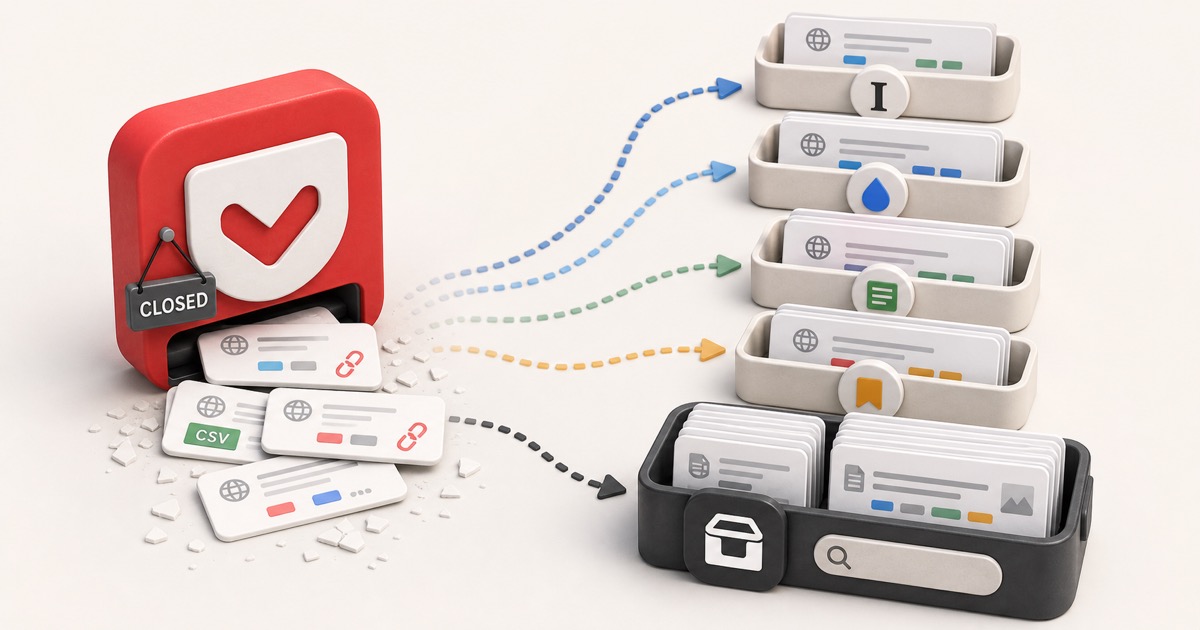
You opened Pocket to read that article you saved months ago, and it's gone. Not the article: the whole app. Mozilla shut Pocket down, and if you didn't pull your data out before the final deadline, the years of links you saved went with it.
Here's the part nobody softened: Pocket went read-only on July 8, 2025, and on November 12, 2025 Mozilla disabled the export and permanently deleted every account's data. This guide covers exactly what happened, what your Pocket export actually contains (if you still have one), the best Pocket alternatives in 2026, and how to set things up so the next shutdown can't take your saves with it.
The short version: what happened to Pocket
Mozilla announced the shutdown on May 22, 2025 and wound Pocket down in stages. If you're just here for the timeline:
| Date | What changed |
|---|---|
| May 22, 2025 | Mozilla announces Pocket is shutting down; new signups and Premium purchases disabled |
| July 8, 2025 | Pocket goes read-only. Apps, extensions, and saving stop working. Premium refunds processed |
| November 12, 2025 | Export tool and API disabled. All user data permanently deleted |
Mozilla's stated reason was that "the way people use the web has evolved," and that it was redirecting resources toward Firefox itself. Pocket Premium subscribers didn't need to do anything: annual plans were automatically canceled and prorated refunds were issued to the original payment method.
If you saved your export before November 12, 2025, you still have your data and this guide will help you move it. If you didn't, those saves are gone, and the rest of this post is about making sure that never happens to you again.
Did you get your export out in time?
When Pocket went read-only on July 8, 2025, it opened an export-only window at
getpocket.com/export, originally about 90 days, that Mozilla later extended to
the final November 12, 2025 deletion. That window is now closed. There is no way
to recover a Pocket library after the deletion: Mozilla didn't keep a copy, and
the API that third-party importers used is offline.
If you never exported, your saves are deleted
This isn't a "contact support" situation. Mozilla queued every account's data for permanent deletion when the export window closed. The only Pocket data that still exists in 2026 is whatever individual users downloaded before the deadline. If that's you, back that file up in more than one place right now, before you do anything else.
What's actually inside your Pocket export
This matters because it sets the ceiling on what you can recover. Late in
Pocket's life the export was a .zip containing one or more CSV files (split at
10,000 saves each) plus a separate annotations folder for highlights. Each row
looked like this:
title,url,time_added,cursor,tags,status
"How to make espresso",https://example.com/espresso,1709251200,,coffee|recipes,unread
So a Pocket export gives you:
- The URL of each saved page
- The title at the time you saved it
- Tags (pipe-delimited, if you used them)
- Read status (unread vs archived)
- When you saved it (a Unix timestamp)
- Highlights, if you were a Premium user, in a separate JSON file
Your export is a pile of links, not a pile of articles
Here's the catch most migration guides skip: the export does not include the article text. It's pointers, the same fragile thing a browser bookmark is. So even a perfectly preserved Pocket export keeps decaying: every link that 404s, goes paywalled, or gets taken down is a save you can no longer read, no matter which app you import it into.
Older Pocket exports came as a single ril_export.html file with two sections,
Unread and Read Archive. It looks like a browser bookmarks file but isn't
quite one, so if a tool won't accept it directly you may need to convert it
first. (Our free bookmark tools can help you wrangle and de-duplicate a
messy export before you import it anywhere.)
Where to move your Pocket saves in 2026
Good news: every major read-later app built a Pocket importer during the shutdown, and most still accept a Pocket-format file. Here are the ones still standing, with the trade-offs that actually matter.
| App | Free tier | Imports Pocket | Self-host |
|---|---|---|---|
| Instapaper | Yes | Yes | No |
| Raindrop.io | Yes | Yes | No |
| Readwise Reader | No | Yes | No |
| Wallabag | Yes | Yes | Yes |
| Omnivore (dead) | No | No | No |
- Instapaper is the closest spiritual match to old Pocket: clean reading view, a generous free tier, and a direct Pocket import in settings. It has survived three ownership changes since 2013, which is a point in its favor for a service you're trusting with your archive.
- Raindrop.io is more of a visual bookmark manager than a pure reader. Strong free tier, keeps your tags on import, and good if you save more than just articles.
- Readwise Reader is the power-user pick: full-text search, highlights, RSS, newsletters. No free tier (around $10/month), but it imports Pocket including your highlights.
- Wallabag is the one you fully control. It's open-source and self-hostable, so no company can shut it down on you. There's a low-cost hosted version if you don't want to run a server, and it imports Pocket CSV exports.
For a feature-by-feature look, see Stashr vs. Pocket, Stashr vs. Instapaper, and Stashr vs. Readwise Reader.
Don't migrate to a service that's also already dead
If you're following an older "best Pocket alternatives" list, watch out for Omnivore. It was a popular open-source recommendation, but its team was acqui-hired in late 2024 and the hosted service shut down and deleted user data in November 2024, before Pocket even announced. Recommending it today would just move your saves into a second graveyard.
Pocket isn't the first read-later app to delete your library
This is the part worth sitting with. Pocket lasted 18 years and was owned by Mozilla, a mission-driven organization people genuinely trusted. It still shut down and deleted everyone's data. And it's in a long line:
| Service | Shut down | What it was |
|---|---|---|
| Google Reader | 2013 | RSS reading, killed for 'declining use' |
| Delicious | 2017 | The original social bookmarking site |
| Readability | 2016 | Read-later and clean reading view |
| Omnivore | 2024 | Open-source read-later, acqui-hired away |
| 2025 | Mozilla's read-later app, 18 years old |
The pattern isn't bad luck. A hosted read-later service is a silo on someone else's timeline. Your saves live on their servers, indexed by their search, readable only in their app, for exactly as long as it stays in their business plan. When the plan changes, you get a few months and an export button, and the export is just links anyway.
The services that didn't take their users down with them are the open ones, Wallabag and friends, where you can self-host or pull a real copy out at any time. The lesson Pocket teaches is about ownership, not about picking a better landlord.
How to never lose your saves again
The fix isn't a different read-later app. It's changing what "saving" means. A bookmark or a Pocket save is a pointer: a note that says "the thing I want is over there, on someone else's server." It breaks the instant the original moves, gets deleted, or the host shuts down.
The durable alternative is to capture the content, not the link: copy the actual post, article, or video into a library you control the moment you save it. Because it's a real copy:
- It survives the original being deleted or the platform shutting down.
- It lives in one place you can search, instead of scattered across apps.
- It doesn't depend on any single company staying in business.
That's the idea behind Stashr. Its browser extension watches the platforms you already save on (X, Reddit, Instagram, TikTok, and more) and mirrors the full post into your own private, searchable library the instant you tap save, auto-tagged so you can find it in plain English later. It starts with social saves and keeps expanding toward everything you stash, articles, web pages, images, and text snippets are on the roadmap:
Cleaning up a pile of old exports first?
If you're consolidating saves from Pocket plus a tangle of browser bookmarks, start with our free, no-signup tools: convert a bookmarks file to CSV, JSON, or Markdown and find and remove duplicates before you import anywhere.
Common questions
Can I still recover my Pocket data?
No. Mozilla permanently deleted all user data after the November 12, 2025 export deadline and didn't keep a backup. The only Pocket data that still exists is what individual users downloaded before that date.
Did I get a refund for Pocket Premium?
Yes, automatically. Mozilla canceled all subscriptions and issued prorated refunds for annual plans to the original payment method around July 8, 2025. You didn't need to request it.
What's the best free Pocket alternative?
For a Pocket-like reading experience, Instapaper has the strongest free tier and a direct Pocket importer. If you want something no company can shut down, self-hosted Wallabag is free and open-source. Raindrop.io is the best free option if you save more than just articles.
Will importing my Pocket export keep my articles forever?
No, and this trips people up. A Pocket export is a list of links, not the article text. Importing it into another read-later app just moves the same fragile pointers. To actually keep an article, you need a tool that saves a real copy of the content, not a reference to where it used to live.
Does Stashr replace Pocket for web articles?
Today Stashr captures your saves from social platforms (X, Reddit, Instagram, TikTok) as full, searchable copies you own, the same capture-first principle Pocket lacked. So if you mostly lost recipes, threads, and videos saved on those apps, that's exactly what it's for right now. And the library is built to grow: support for saving articles, whole web pages, images, and text snippets is on the roadmap, alongside more platforms. The core idea doesn't change as it expands: a real copy you control, not a pointer that rots out from under you. For a deeper look at why platform saves keep vanishing, see where your saved posts actually go.
Don't let the next shutdown delete your saves.
Stashr captures every save across every platform as a full, auto-tagged copy you own and can actually search. No more depending on someone else's app staying alive.
14-day free trial · No credit card required · Cancel anytime