Link rot: why your saved links die and how to keep them alive
Link rot is why your bookmarks turn into 404s and your saved posts vanish. Here's what causes it, how fast it happens, and how to keep a copy that lasts.
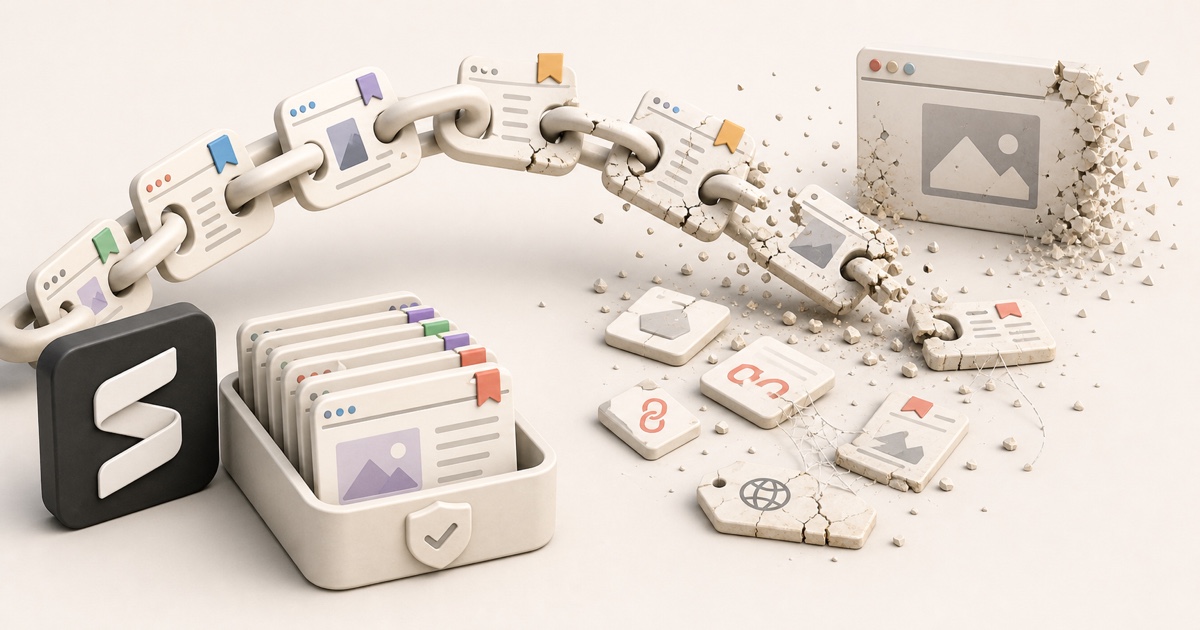
You saved a link that mattered. A reference for a project, a recipe, a thread that finally explained the thing. You go back months later and it's a 404, a "this post isn't available," or a parked domain selling nothing. The link still sits in your bookmarks, perfectly intact, pointing at nothing.
That's link rot: the slow, silent process by which the web's links stop resolving to the thing they once pointed at. It isn't rare and it isn't your fault. It's the default fate of almost everything you save unless you do something about it.
What is link rot?
Link rot (also called link death or reference rot) is what happens when a URL that used to load a working page stops doing so. The address is still valid as text. You can still click it. But the thing on the other end is gone, moved, or replaced.
It shows up as:
- A 404 Not Found or a generic "page doesn't exist" screen.
- A redirect to a homepage, a paywall, or an unrelated page.
- "This post isn't available" / "this tweet was deleted" / "this video is private" on social platforms.
- A domain that expired and now shows ads, or a site that's simply offline.
- A page that loads but whose content was quietly edited out from under you (sometimes called content drift, link rot's quieter cousin).
The common thread: your saved reference and the live web have drifted apart, and the save loses.
Why links rot
A bookmark doesn't store a page. It stores a pointer to a page that lives on someone else's server. You don't control that server, and neither does anyone who has your interests in mind. So a link breaks the moment any of these happen:
- The author deletes or unpublishes it. Blogs get pruned, posts get taken down, creators delete and repost constantly.
- The URL changes. A site redesign, a CMS migration, or a move to a new domain rewrites every address and rarely sets up redirects for old ones.
- The site shuts down. Companies fold, products sunset, and free hosts disappear, taking every page with them. (Ask anyone who saved things to Pocket.)
- Access gets locked. An account goes private or gets suspended, or a page slips behind a login wall or paywall it didn't have before.
- The domain expires. Someone forgets to renew, and the address gets recycled by a squatter.
None of these require you to do anything wrong. The page just had a lifespan, and it was always shorter than you assumed.
Your bookmark looks alive until you click it
A saved link gives no warning. It sits in your list looking exactly as healthy as the day you saved it, right up until the moment you tap it and find out the page died six months ago. You only discover rot when you need the link most.
How fast does link rot happen?
Faster than feels reasonable. Researchers have studied this for years, and the numbers are consistently grim: a substantial fraction of links break within just a few years, and the share climbs steadily the older a link gets. Reference links in academic papers, court opinions, and news articles all rot at rates that make "permanent" links look like a polite fiction.
Social media is worse, because the content was designed to be ephemeral in the first place. On the platforms most people save from, "saved" was never a promise:
- Instagram signs its media URLs to expire within hours, so even a direct copy of a media link dies on a timer while the original is still up.
- Reddit saves turn into
[removed]or[deleted]the moment a mod or the author pulls the post, and there's a hidden cap of around 1,000 saves before old ones start falling off. - X (Twitter) bookmarks break silently when a tweet is deleted or an account is suspended, with no notice in your list.
- TikTok Favorites turn into "video currently unavailable" when a clip is taken down or set private.
We dug into each of these platform by platform in where your saved posts actually go. The pattern is the same everywhere: the save is a pointer, and the pointer outlives the thing it points to.
Link rot vs. the things people confuse it with
| Term | What it means | Is your copy safe? |
|---|---|---|
| Link rot | The URL stops resolving to the original page | No |
| Content drift | The page still loads but the content was changed | No |
| A broken bookmark | Your saved link points at a now-dead URL | No |
| A local copy / archive | You hold the actual content, not a pointer | Yes |
Only the last row survives. Everything above it depends on a page you don't own staying exactly where it was, which is precisely the bet that link rot keeps winning.
How to keep your links from rotting
You can't stop other people's pages from disappearing. What you can do is stop depending on them. There are three levels, from quick patch to real fix.
1. Find the rot you already have
Before you fix anything, see how bad it is. A dead link checker scans a list of URLs (or a whole bookmarks file) and tells you which ones are already broken, so you're not auditing hundreds of links by hand. Run it on your bookmarks export and you'll usually be surprised how many are gone.
Clean while you're in there
A rot audit is a good moment to declutter. Our free tools can find and merge duplicate bookmarks and convert a messy bookmarks.html into a clean spreadsheet so you're left with a list worth keeping. No signup required.
2. Archive a copy in the Wayback Machine
For any link you genuinely care about, push it to a public web archive. The Internet Archive's Wayback Machine stores a snapshot of the page as it looked on a given day, so even if the original dies you can pull up the archived version. You can submit pages one at a time with Save Page Now, and our dead link checker finds existing snapshots for links that have already died.
This is a real safety net, with two catches: the archive only captures what was public at submit time (it can't snapshot a private post or a logged-in page), and you have to remember to do it before the page rots. An archive you create after the page is gone captures nothing.
3. Capture the content the moment you save
The cleanest fix is to stop saving pointers altogether and start saving content. Instead of bookmarking a link and hoping the page survives, you keep a full copy of what you saw the instant you saved it. Because you hold the actual content, link rot simply can't touch it:
- It survives deletion. The original can vanish; your copy stays put.
- It captures logged-in and ephemeral content that a public archive can't, including the social-media saves that expire fastest.
- There's nothing to remember. The copy is made at save time, not after you notice the link is dead.
That's the idea behind Stashr. Its browser extension watches for saves on the platforms you already use and, the moment you tap save, mirrors the full post (text, author, media, and context) into a private library of your own. Every save is AI-tagged on the way in, so you can find it the way you actually remember it:
Common questions
What does "link rot" mean?
Link rot is when a URL that used to load a working page stops doing so, because the page was deleted, moved, set private, or the whole site went offline. The link still looks valid, but clicking it leads to a 404 or an error instead of the original content.
How common is link rot?
Very. Multiple studies have found that a large share of links break within a few years of being created, and the rate keeps rising the older a link gets. Links to social-media posts rot even faster, because that content is deleted, hidden, or expired far more often than ordinary web pages.
How do I check if my bookmarks are dead?
Run your bookmarks through a dead link checker, which tests each URL and flags the ones that no longer resolve. It's far faster than clicking through hundreds of bookmarks by hand, and it can read a standard browser bookmarks export.
Does the Wayback Machine stop link rot?
It helps. The Wayback Machine keeps a snapshot of a public page so you can read it after the original dies, but only if the page was submitted while it was still up, and only for content that was public at the time. It can't archive private posts, logged-in pages, or anything that rotted before you saved it.
What's the best way to permanently save a link?
Keep a copy of the content, not just the link. Public pages can be pushed to the Wayback Machine; for everything else, including social-media saves and logged-in content, a capture-first tool like Stashr stores the full post the moment you save it, so there's no live page left to rot.
Stop saving links that die.
Stashr captures the full content of everything you save the moment you tap it, across every platform, so link rot never reaches your library.
14-day free trial · No credit card required · Cancel anytime