How to let ChatGPT and Claude search your bookmarks (with MCP)
Connect your AI assistant to your saved posts using MCP: what the protocol actually is, how to add a server to ChatGPT, Claude, Cursor, or Codex, and why most bookmark tools give the AI almost nothing to read.

You have thousands of saved posts and an AI assistant that is very good at reading things. The two have never met. Every time you want help with something you saved, you go find the link yourself, paste it into a chat, and hope the page still loads.
There is a standard that fixes exactly this. It's called MCP, and it lets an assistant like ChatGPT or Claude search and read your own library directly, in the middle of a normal conversation. Here's how it works, how to set it up, and the one thing that decides whether it's actually useful.
The quick answer
If you just want it working:
- Pick a library that has an MCP server. Stashr hosts one at
https://stashr.me/mcp. Raindrop ships an official hosted server too. Some self-hosted tools have community ones. - Add the URL to your AI tool. In Claude Code that's one terminal command; in Cursor and Codex it's a few lines of config; in ChatGPT it's a custom app in settings.
- Sign in and approve the permissions. The connection uses OAuth, so you never paste a password or an API key into your AI tool. You approve a scope (read only, or read and write) on a consent screen.
- Ask in plain English. "Find the thread about pricing pages I saved a few weeks ago and summarize it." The assistant picks the right tool, searches, and reads only what it needs.
That's the whole setup. The interesting part is what happens after.
What MCP actually is (in plain language)
Think of MCP as a universal plug for AI apps.
Before it, every combination of assistant and app needed its own custom wiring. Your bookmark manager would have to build one integration for ChatGPT, another for Claude, another for Cursor, and so on forever. Almost nobody did, so assistants stayed sealed off from your actual stuff.
MCP is the shared shape of that plug. An app publishes one server that describes what it can do ("search bookmarks", "read one in full", "add a tag"), and any compatible assistant can use it. Build the plug once, and it works everywhere.
Anthropic introduced the protocol in November 2024 and donated it in December 2025 to the Agentic AI Foundation, a Linux Foundation fund co-founded with Block and OpenAI, with support from Google, Microsoft, AWS, Cloudflare, and Bloomberg. At the time of that announcement there were more than 10,000 active public MCP servers, and support across ChatGPT, Claude, Cursor, Gemini, Microsoft Copilot, and VS Code. In other words, it stopped being one vendor's idea and became the default way agents reach your data.
MCP is not a model
MCP doesn't make your assistant smarter. It just gives it a door into an app you already use, and a list of what it's allowed to do once inside. The quality of the answers still depends on what's behind the door.
Why pasting a link doesn't do the same thing
The obvious workaround is to paste the URL into the chat and let the assistant fetch it. That fails in more ways than people expect:
- Most social posts aren't fetchable. X, Instagram, and TikTok serve logged-out crawlers a login wall or an empty shell. The assistant gets a page title and not much else.
- You have to find the link first. Which is the entire problem. If you could locate that saved post in seconds, you wouldn't need help.
- Deleted is deleted. If the account went private or the post came down, the fetch returns nothing. That's link rot, and it hits saved social posts hard.
- It doesn't scale past one. Pasting forty links to find a pattern across them is not a workflow.
An MCP connection replaces all of that with a search your assistant runs itself, across everything you ever saved, without you leaving the conversation.
What your assistant can actually do once it's connected
A good bookmark MCP server doesn't hand over your whole library in one dump. It exposes small, bounded tools and lets the assistant choose. Stashr's server exposes thirteen of them, covering four kinds of work:
- Find things. Meaning-based search with filters (platform, content type, author, date), plus browsing a collection or your newest saves.
- Read things. Fetch one save in full as Markdown, or up to twenty at once to compare or summarize a shortlist. Look at saved images visually when the question is about what's in the picture.
- Change things. Save a new URL, edit a note, add tags, favorite, archive, or build a collection.
- Check things. Tag list with usage counts, library stats, and your plan and quota.
Which turns into requests like these:
- "Find that thread about pricing pages I saved a few weeks ago and summarize it."
- "Pull everything I saved about CSS layout this year and group it into themes."
- "Find the images I saved with warm timber reading nooks and show me the best three."
- "Save this article to my library and tag it competitive research."
- "What have I saved from this creator? Tag it all woodworking."
Start read-only
If you're trying this for the first time, connect with read access only. You get every research benefit with zero chance of an assistant reorganizing your tags on a hunch. Widen the scope later once you trust the workflow.
The part that decides whether this is useful
Here's the thing nobody mentions in MCP tutorials: an assistant can only read what your bookmark tool bothered to store.
Most bookmark managers store a URL, a title, and maybe a thumbnail. Bolt an MCP server onto that and your assistant gets a list of links. It can hand them back to you, but it cannot summarize them, compare them, or answer a question about what they said, because it never saw what they said. And when the underlying post is gone, there's nothing left to fetch.
A capture-first library copies the post itself at the moment you save it: the full text, the images, the author, the date. That's the difference between an assistant that lists your bookmarks and one that can actually reason over them.
| What you point the AI at | Full post text | Still works after the post is deleted | Findable by meaning |
|---|---|---|---|
| A link pasted into the chat | Only if the page is public and fetchable | No | No |
| A bookmarks.html export | No, titles and URLs only | No | No |
| MCP over a link-only bookmark manager | Whatever the live page still serves | No | Depends on the tool |
| MCP over a capture-first library | Yes | Yes | Yes |
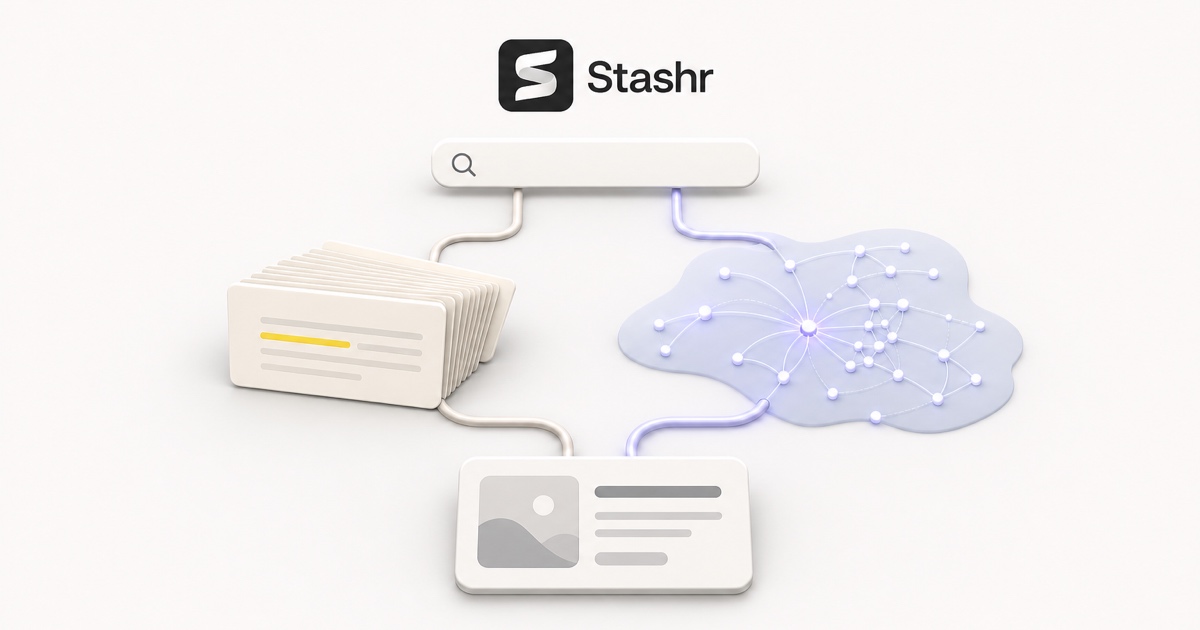
The "findable by meaning" column matters just as much. You rarely remember the exact words in a post; you remember the gist. Keyword search needs the words. Meaning-based search finds "the espresso thread" from "coffee brewing tips", which is what makes the first message of the conversation work at all. We wrote up the mechanics in semantic search vs keyword search.
Connecting it, tool by tool
The exact steps vary a little, but every one is "give the client a URL, then sign in." The examples below use Stashr's server; swap the URL for whichever service you're connecting.
Claude Code
One command in your terminal:
claude mcp add --transport http --scope user stashr https://stashr.me/mcpThen type /mcp, pick the server, and finish the sign-in in your browser.
Cursor
Create or edit ~/.cursor/mcp.json (or .cursor/mcp.json for a single project):
{
  "mcpServers": {
    "stashr": {
      "url": "https://stashr.me/mcp"
    }
  }
}
Open Cursor's MCP settings and authenticate when prompted.
Codex
Add the server to ~/.codex/config.toml:
[mcp_servers.stashr]
url = "https://stashr.me/mcp"
Then run codex mcp login stashr.
ChatGPT
ChatGPT connects to custom MCP servers as an app in developer mode: turn on Developer mode under Settings → Apps → Advanced Settings, create an app pointing at the server URL, then press Connect and sign in.
ChatGPT availability moves around
Custom MCP apps run on ChatGPT web, and which plans get full read and write access has changed more than once. Workspace admins may need to enable developer mode first. Check OpenAI's help article for the current state of your account before assuming a setup is broken.
Anything else
Any other MCP client works the same way: add the URL as a Streamable HTTP server and choose OAuth when it asks how to authenticate. Stashr's full walkthrough lives in the MCP docs.
Terminal and coding agents: the CLI route
MCP is the right transport inside a chat client. For scripts, CI, or a coding agent that already lives in your terminal, a plain command-line tool is often simpler. Stashr publishes one:
npm install --global @stashr/cli
stashr login
It has readable output by default and stable JSON for automation, so an agent can pipe results straight into whatever it's building. Details in the CLI docs.
There's also an agent skill worth knowing about, because it solves a subtler problem. Access is not the same as knowing how to use the access. Without guidance, an agent will happily fetch fifty saves in full when a compact search would have answered the question, burn its context window, and give a worse answer. The skill teaches the workflow: search cheaply first, read in full only what matters, reuse your existing tag names, and never delete anything without asking.
Before you connect anything: the permissions check
You're handing an AI tool a door into a personal library. Three things to confirm, whichever service you use:
- Read the consent screen. It should spell out what the connection can do in specific terms, not "access your account." Stashr's separates reading, updating, deleting collections, and staying connected, and deleting a collection needs an explicit confirmation on top.
- Check you can revoke it. There should be an authorized-apps page where you can cut a connection off. Expect an already-issued access token to keep working briefly (usually up to an hour) before the app has to reconnect.
- Prefer OAuth over pasted keys. Sign-in flows keep the credential out of your config files. If you must use an API key for a headless client, scope it as narrowly as the service allows and keep it in secret storage, not a dotfile you sync between machines.
The workflow this unlocks
Once it's wired up, saving stops being a graveyard and starts being a research input. A few patterns that show up fast:
- Ask your own archive. "What did that founder say about hiring the first salesperson?" Search runs over the actual text of everything you kept, not over titles.
- Synthesize across saves. Forty saved posts about the same topic become one summary with the disagreements called out.
- Save from the conversation. You're deep in a chat, a link comes up, and the assistant files it with the right tags without you switching apps.
- Clean up in bulk. "Find everything from 2024 I never favorited and archive it." Reversible, batched, and done in one sentence.
None of that requires a new app or a new habit. It runs on the pile you already built, which was always the point of saving things.
Give your AI something worth reading
Stashr captures the full post the moment you save it, tags it automatically, and exposes it all over a hosted MCP server your assistant can search in plain English.
14-day free trial · No credit card required · Cancel anytime
Frequently asked questions
Do I need to run a server on my computer?
No, not for a hosted one. Stashr's and Raindrop's servers run on their side, so there's nothing to install or keep alive. Self-hosted tools generally expect you to run the MCP server yourself next to the app.
Does this cost extra?
It depends on the service. On Stashr, agent access (MCP, the CLI, and the API) is part of Pro, which is $10/month or $7.50/month billed yearly, and it's included in the 14-day free trial that every new account starts on. The Hobby plan is $6/month ($4.50/month yearly) and covers capture, search, and the rest of the app, but agent requests return a payment-required error. Prices move, so check the plans page for the current numbers.
Can the AI delete my library?
Not by accident, on a well-built server. Permissions are split, so a read-only connection cannot change anything at all, and destructive actions should require an explicit confirmation. On Stashr, archiving is reversible and the AI has no tool that permanently deletes bookmarks.
Is MCP secure?
The protocol itself is a transport, so the answer depends on the implementation at each end. What you can check: that sign-in uses OAuth rather than a shared key, that scopes are granular, and that you can revoke access from the service's own settings. Treat an MCP connection like any other app you authorize on an account that matters.
What if my bookmark manager doesn't have one?
Then your options are a community server (check whether it's maintained and what it does with your credentials), the service's API if it has one, or moving to a tool that ships an official server. If you're weighing that move anyway, our roundup of the best bookmark managers is a reasonable place to start, and it's worth checking your existing pile for dead links before you migrate anything.