YouTube Watch Later: how to find, organize, and back up your saved videos
How YouTube Watch Later really works: where to find your saved videos, why there's no search, why saves turn into 'Deleted video,' and how to back them up before they vanish.
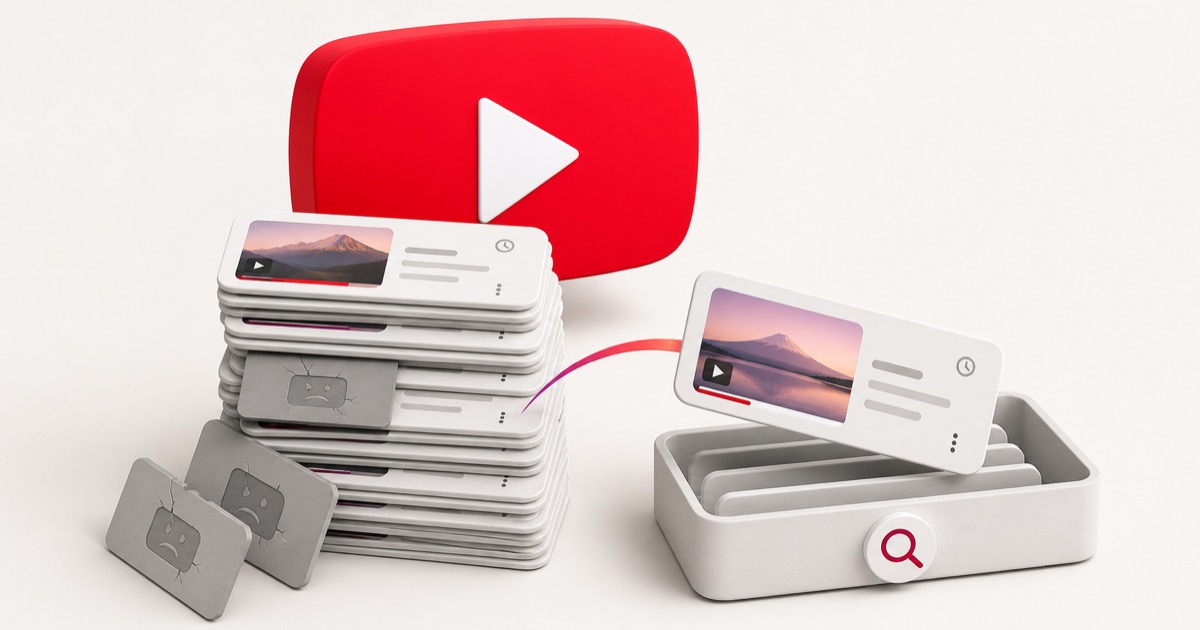
You tapped Save on a video meaning to watch it later. Then another. Then a few hundred. Now Watch Later is a bottomless queue you never open, half of it is stuff you've forgotten, and some entries just say "Deleted video" with no way to know what they were.
The short version: Watch Later, Liked videos, and your playlists each live in a different spot, none of them let you search by what a video was actually about, and any video can silently turn into a "Deleted video" or "Private video" placeholder you can never recover. Here's exactly where everything lives, why you can't find the one you want, and how to keep your saves for good.
The quick answer: where YouTube keeps your saved videos
YouTube has three separate places your saves can end up, depending on which button you pressed:
- Watch Later: On desktop, click You in the left sidebar, then Watch
Later (or go straight to
youtube.com/playlist?list=WL). On mobile, tap the You tab, then Watch Later. This is where the Save button drops a video by default. It's private and can't be made public. - Liked videos: Every video you hit the thumbs-up on lands in an auto-playlist. Desktop: You → Liked videos. Mobile: You → Liked videos. People treat this as a second save pile, then forget it exists.
- Playlists: When you use Save → New playlist (or save into an existing one), the video goes into a named list under You → Playlists. These are the only saves you can title and reorder, but you have to make them by hand.
Notice the pattern: three different buckets, and not one of them lets you search by what the video was about, which is usually the only thing you actually remember.
Why you can never find the one you want
You don't remember the channel name or the exact title. You remember the gist: "that knife-sharpening video," "the one explaining mortgage points," "the tiny apartment tour." But YouTube's saved lists index almost none of that:
- There's no real search inside your saves. You can search all of YouTube, but you can't reliably search within Watch Later or a playlist by topic. You're left scrolling a long queue hoping to recognize a thumbnail.
- Your saves are split across three piles. Half your intentions are in Watch Later, some are Liked, the rest are scattered across playlists you made once and abandoned. There's no single view of everything you meant to keep.
- Order works against you. Watch Later stacks newest on top by default, so the video you saved eight months ago is hundreds of entries deep, wedged between a music video and a podcast clip.
Why your saved videos turn into "Deleted video"
Even when you do find the right entry, it can resolve to nothing. That's because a playlist doesn't store the video: it stores a pointer to a video that still lives on YouTube's servers.
A saved video is only as alive as the original
The moment the creator deletes the upload, sets it to private, or gets their channel removed, your entry collapses into a grey "Deleted video" or "Private video" placeholder. YouTube strips the title along with it, so you can't even tell what you lost, only that you lost something.
It happens constantly. Creators delete and re-upload to reset a video's stats. Music and clips vanish over copyright claims. Channels get terminated, taking every video with them. Your carefully curated Watch Later slowly fills with grey tombstones, and there's no built-in way to see what any of them used to be.
YouTube saves vs. the other platforms, side by side
If you save across more than one app (most people do), the gaps line up in the same places. We've covered the others in depth: X / Twitter bookmarks, Reddit saved posts, Instagram saves, and TikTok Favorites.
| Platform | Where saves live | Search by topic? | Survives a delete? |
|---|---|---|---|
| YouTube | You → Watch Later / Liked / Playlists | No | No |
| X / Twitter | Profile menu → Bookmarks | No | No |
| Avatar → Saved | No | No | |
| Profile → Saved (Collections) | No | No | |
| TikTok | Profile → Favorites | No | No |
| Stashr | One library, starting with X, Reddit, Instagram, TikTok | Yes | Yes |
The first five rows are the status quo: findable only by scrolling, gone the moment the original is. The last row is the fix.
How to organize Watch Later so it's actually usable
If you want to keep working inside YouTube, a few habits keep the queue from rotting:
- Turn Watch Later into real playlists. Once a week, move videos out of Watch Later into named playlists ("Cooking," "Woodworking," "To read on flights"). A playlist you can title is far easier to scan than one giant queue.
- Stop treating Like as a save. The Liked videos playlist quietly hoards everything you thumbs-up. Decide it's for signaling, not storage, so your real saves live in one predictable place.
- Clear the tombstones. Every so often, open Watch Later, sort by Date added (oldest), and delete the "Deleted video" and "Private video" placeholders. They'll never come back, and they only make the list harder to scan.
This helps, but it's housekeeping on a list that's still trapped inside YouTube, still unsearchable by topic, and still one deletion away from a grey placeholder.
How to back up your YouTube saves
The only official export path is Google Takeout. Under YouTube and YouTube Music → playlists, you can download your playlists as CSV files. Two things to know before you rely on it:
- You get links, not videos. Each CSV is a list of video IDs and URLs. Open one a year from now and the dead ones still resolve to "video unavailable," exactly like the placeholders in your queue.
- The auto-playlists are the catch. Takeout centers on the playlists you created; Watch Later and Liked videos don't reliably come through the same way, so the two piles most people care about are the hardest to get out.
Sitting on a pile of dead saved links?
If your exports and playlists are already full of broken URLs, our free tools can help you dig out: run a list of saved links through the dead link checker to see which ones still resolve, or tidy up a messy browser bookmarks file. No signup required.
How to actually keep everything you save
The reason native saves rot is that they were never copies in the first place. Watch Later doesn't hold the video; it holds a link to a video someone else can delete. So the fix is to capture the content, not just a link, the moment you save it.
That's what Stashr is built to do, and YouTube support is on the way. On the platforms it already supports, it mirrors the parts of each save that make it findable into a private library of your own. Because it's a real copy:
- It survives deletion. The original can vanish; your copy keeps its text and details instead of collapsing into a placeholder.
- It's all in one place. X, Reddit, Instagram, TikTok, and more land in the same library instead of a pile of separate queues and lists, and YouTube joins them when support lands.
- You can search it the way you think. Every save is AI-tagged on the way in, so plain-English search actually works:
For the bigger picture on why platform saves keep disappearing, see where your saved posts actually go and why saved links die and how to keep them alive.
Common questions
Where is my Watch Later list?
On desktop, click You in the left sidebar and choose Watch Later, or go
directly to youtube.com/playlist?list=WL. On the mobile app, tap the You
tab at the bottom, then Watch Later. It's private to your account and can't
be shared or made public.
Can I search inside Watch Later or a playlist?
Not by topic. YouTube's search covers the whole site, not the contents of your own saved lists, so you can't type "the budgeting one" and have your Watch Later filter to it. You're left scrolling and recognizing thumbnails.
Why do my saved videos say "Deleted video" or "Private video"?
Because your saves are pointers, not copies. When a creator deletes a video, sets it to private, or their channel is removed, YouTube replaces your entry with an unlabeled placeholder and strips the title, so you can't tell what it used to be.
How do I back up my YouTube saved videos?
Google Takeout can export your created playlists as CSV files, but you get links rather than the videos, and Watch Later and Liked videos don't come through cleanly. A capture-first tool copies each save's details the moment you make it, so there's nothing to export and nothing that rots into a placeholder. Stashr does this today for X, Reddit, Instagram, and TikTok, with YouTube on the way.
YouTube capture is on the way.
Stashr already keeps a permanent, searchable copy of every save from X, Reddit, Instagram, and TikTok. Start there today, and your YouTube saves join the same library when support lands.
14-day free trial · No credit card required · Cancel anytime