LinkedIn saved posts: how to find, organize, and back up your saves
How LinkedIn saved posts really work: where to find them, why there's no search or folders, why saves quietly disappear, and how to keep every one for good.
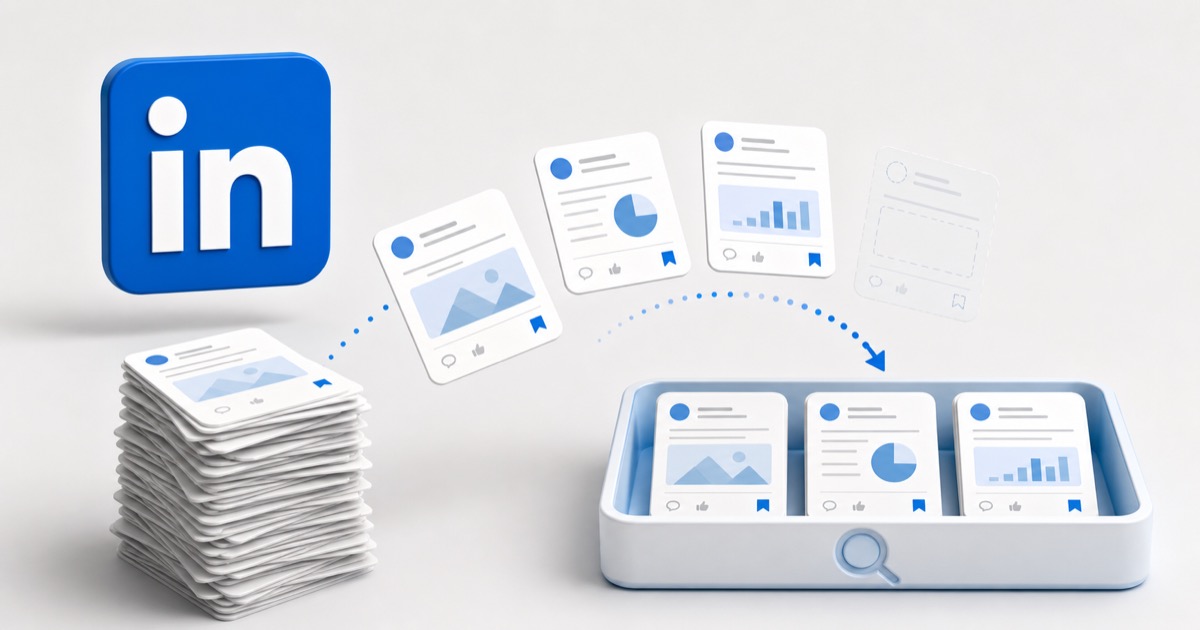
You hit Save on a LinkedIn post: the hiring thread with the perfect cover letter template, the carousel that finally explained a pricing model, the comment with the tool you meant to try. Weeks later you go back for it, open your saved posts, and you're scrolling a flat wall of everything you've ever saved, with no way to search it, or the post is just gone.
The problem isn't you. It's that LinkedIn's saved posts are one reverse-chronological list with no search and no folders, and each save is a pointer, not a copy, so it breaks the moment the author deletes the post or their account. Here's exactly where your saves live, why they keep slipping away, and how to keep every one of them.
The quick answer: where LinkedIn saved posts live
If you just need to find your saved posts right now:
- Desktop: Go straight to
linkedin.com/my-items/saved-posts. Or, on your home feed, open the Me menu / your profile card and look for Saved items, which opens your My Items page. Saved posts is one tab there, alongside saved jobs, articles, and courses. - Mobile app (iOS / Android): Tap your profile photo in the top left to open the slide-out menu, then tap Saved posts.
To save a post in the first place, tap the three dots (More) in the top-right corner of the post and choose Save. That's the whole feature: one button, one list.
Saved posts and saved jobs are two different lists
LinkedIn keeps saved jobs in a separate place (under Jobs → My jobs → Saved), and your My Items page bundles saved posts, jobs, articles, newsletters, and courses under one roof. This guide is about the saved posts feed, the one you fill by hitting Save on things in your feed.
Why you can't actually find anything in your saved posts
You don't remember who posted it or the exact wording. You remember the gist: "that resume thread," "the post about async standups." But LinkedIn's saved posts list indexes almost none of that:
- There's no search inside your saves. LinkedIn's main search bar looks across all of LinkedIn (people, jobs, companies, posts), not the specific posts you saved. Nothing on the saved posts page lets you filter your own list by keyword or topic.
- It's one undivided stream. Everything is sorted only by when you saved it, so the carousel you saved last quarter is hundreds of entries deep, wedged between a job repost and a hot take.
- Skimming doesn't help. Text posts collapse to a couple of preview lines and documents show a thumbnail, so scrolling rarely surfaces the one you actually meant.
This is the same pattern every platform repeats. We mapped it across X, Reddit, Instagram, and TikTok in where your saved posts actually go: different apps, different hiding places, none of them searchable by what the post was about.
LinkedIn gives you no folders, no tags, no collections
Instagram at least has Collections. Reddit hides categories behind Premium. LinkedIn gives you nothing: saved posts is a single flat list with no grouping of any kind.
- No folders. You can't file the hiring posts in one place and the design posts in another.
- No tags or labels. There's no way to mark a save as "read later" versus "reference forever."
- No manual reordering. The order is fixed to when you saved each item, and that's the only order you get.
For anyone who saves more than a handful of things, the list becomes exactly the kind of pile that made you save the post so you wouldn't lose it, except now the pile is the place you lose it. (If you want a system that actually holds up, see how to organize your bookmarks so you actually find them later.)
Why your saved LinkedIn posts disappear
Even when a save is still in your list, opening it can land you on nothing. That happens because LinkedIn's saved posts list doesn't store the post. It stores a pointer to content that still lives on LinkedIn's servers, owned by someone else.
So your save breaks the moment any of these happen:
- The author deletes the post. People delete and repost constantly to fix a typo or chase better reach. Your save goes with the original.
- The author deletes or deactivates their account. Everything they posted goes with them, including the post you saved.
- LinkedIn removes it. A post taken down for violating policy is gone for everyone, including you.
- The author blocks you or goes fully private. Content you could see when you saved it can quietly become unreachable.
A save is only as alive as the original
The entry can sit in your saved posts looking perfectly intact right up until you tap it and find the post unavailable. LinkedIn doesn't warn you or leave a labeled placeholder, so you often can't even tell what the dead entry used to be. It's the same link rot that turns browser bookmarks into 404s, just inside an app.
Can you export your LinkedIn saved posts?
This is the part that surprises people. LinkedIn does let you download a copy of your data (Settings → Data privacy → Get a copy of your data), and that archive includes plenty: your connections, messages, your own posts and activity, and more.
What it does not cleanly include is the content of the posts you saved from other people. There's no "saved posts" export that hands you those posts as readable, self-contained copies. So the one official backup path gives you your own footprint, not the library of other people's posts you were carefully building with the Save button. In practice, there is no first-class way to export your saved posts at all.
LinkedIn saves, option by option
| Approach | Searchable by topic? | Organized into folders? | Keeps the content if the original is deleted? |
|---|---|---|---|
| LinkedIn saved posts list | No | No | No |
| Copy-pasting into a doc by hand | No | Yes | Yes |
| LinkedIn data export | No | No | No |
| Capture-first library (Stashr) | Yes | Yes | Yes |
The native list and the data export are variations on the same thing: pointers, sorted by date, that die when the original does. Copy-pasting each post into a doc actually keeps the content, but it's manual, tedious, and something you'll stop doing by the third post.
How to keep every LinkedIn save for good
The reason native saves rot is that they were never copies to begin with. The saved posts list holds a link to a post someone else can delete, not the post itself. So the fix is to capture the content, not just the link, the moment you save it.
That's what Stashr does. When you save a post into Stashr, it mirrors the parts that make it findable (the text, the author, any images or documents, and the link back to the original) into a private library of your own. Because it's a real copy:
- It survives deletion. The author can delete the post or their whole account; your copy keeps the text and details instead of collapsing into an "unavailable" shell.
- It's all in one place. LinkedIn lands in the same searchable library as your saved tweets, Reddit saves, Instagram saves, and YouTube Watch Later, instead of a separate silo you have to remember to check.
- You can search it the way you think. Every save is AI-tagged on the way in, so plain-English search actually works:
Already sitting on a pile of dead saved links?
You don't need Stashr to start digging out. Our free tools can run a list of saved URLs through the dead link checker to see which ones still resolve, or tidy up a messy browser bookmarks file. No signup, no API key.
Common questions
Where do I find my saved posts on LinkedIn?
On desktop, go to
linkedin.com/my-items/saved-posts,
or open the Me / profile menu and choose Saved items, then the Saved
posts tab. On the mobile app, tap your profile photo in the top left and
choose Saved posts. To save a post, tap the three dots at its top-right
corner and choose Save.
Can I search my LinkedIn saved posts?
Not by topic. LinkedIn's search bar covers all of LinkedIn, not the specific posts you saved, and the saved posts page itself has no search or filter. You're left scrolling a single list sorted by when you saved each item.
Can I organize saved posts into folders on LinkedIn?
No. Unlike Instagram Collections or Reddit's Premium categories, LinkedIn saved posts have no folders, tags, or manual ordering. It's one flat, undivided list.
Why did my saved LinkedIn post disappear?
Because your save is a pointer, not a copy. If the author deletes the post, deletes or deactivates their account, or LinkedIn removes the post, the content is gone and your saved entry becomes unavailable. An independent copy is the only thing that survives it.
How do I back up my LinkedIn saved posts?
LinkedIn's data export gives you your own activity and connections, but not the saved posts of others as readable copies, so there's no real native backup. To keep them, capture the actual content of each post as you save it with a capture-first tool, so there's nothing to remember to export and nothing to lose when the original goes.
Stop losing the things you save on LinkedIn.
Stashr captures the content of every save the moment you make it, auto-tagged and findable in plain English even after the original is deleted.
14-day free trial · No credit card required · Cancel anytime