Stashr is now on Firefox: save X, Reddit, TikTok, and Instagram posts
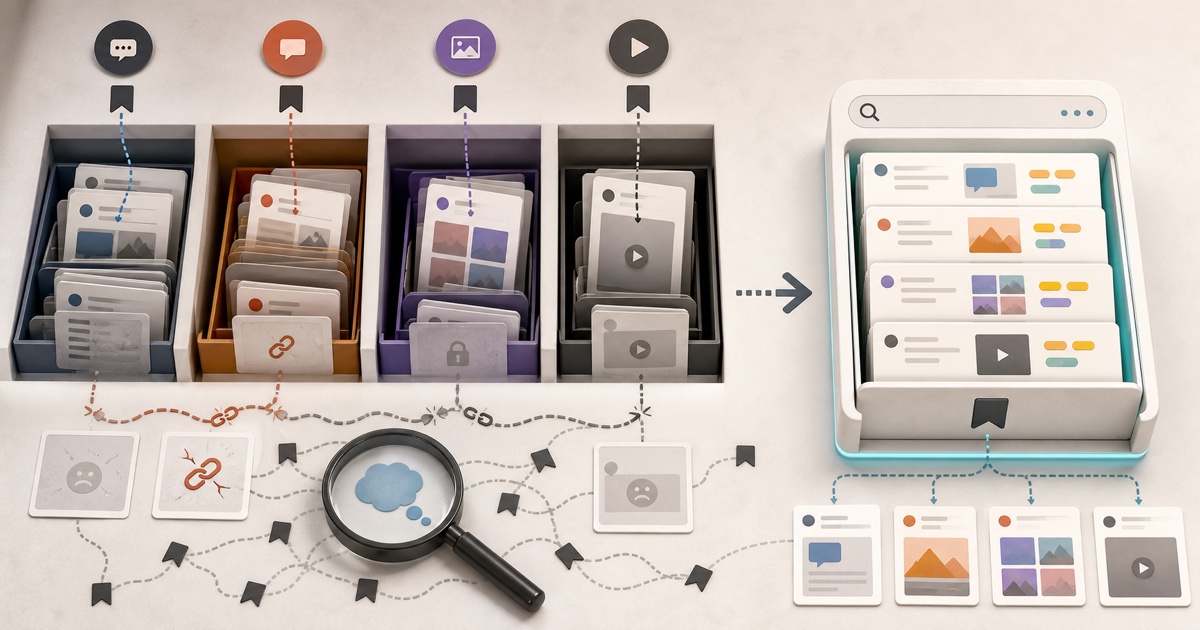
The Stashr extension is live on Firefox Add-ons. Capture every save from X, Reddit, TikTok, and Instagram in Firefox, with AI tags and plain-English search.

Firefox users kept asking, and until now the answer was "use Chrome." Not anymore: the Stashr extension is live on Firefox Add-ons, and it does everything the Chrome version does.
What's new
Stashr's browser extension now installs in Firefox. Get it from the Firefox Add-ons listing (it's called Stashr: AI Bookmark Saver), sign in at stashr.me, and keep saving the way you already do.
This isn't a stripped-down port. Firefox and Chrome run the same Manifest V3 code, so every capture path works in both:
- Automatic capture. Bookmark on X, save on Reddit, tap the ribbon on Instagram, or favorite on TikTok. The full post lands in your library, text and images included, so it survives the original being deleted.
- Bulk import. Pull in the saves you already built up, one platform at a time, from the extension popup.
- Web clips. Right-click any page, image, or text selection to save it.
Once a save is in your library, it gets the same AI tags and plain-English search as everything else. Search "that sourdough thread with the hydration chart" and it finds the post even if those words never appeared in it.
How to install Stashr in Firefox
- Open the Stashr listing on Firefox Add-ons and click Add to Firefox.
- Review the permissions prompt and confirm. Firefox lists the sites the extension works on and the website data it reads to capture your saves.
- Sign in at stashr.me. There's no separate extension login: the extension picks up your web session automatically.
- Optional: open Firefox's Extensions button (the puzzle piece), click the gear next to Stashr, and choose Pin to Toolbar so the popup is one click away.
Then save any post on a supported platform. A small "Stashed" tooltip next to the save button confirms the capture. The full walkthrough lives in the install docs.
Using private windows?
Firefox doesn't run newly installed extensions in private windows unless you
allow it. Tick the private windows checkbox when you install, or later open
about:addons, click Stashr, and set Run in Private Windows to Allow.
Which browsers Stashr supports
| Browser | Where to get it | Supported |
|---|---|---|
| Firefox (desktop, 140+) | Firefox Add-ons | Yes |
| Chrome | Chrome Web Store | Yes |
| Edge, Brave, Arc, Opera | Chrome Web Store | Yes |
| Safari | Not yet | No |
| Mobile browsers | Not yet | No |
If you use more than one browser, install Stashr in each. Your library lives on your account, not in the browser, so saves from Firefox at home and Chrome at work end up in the same searchable place.
Moving over from Firefox bookmarks?
Stashr captures social saves and web clips; it doesn't import a browser's bookmarks file. If you're cleaning up years of Firefox bookmarks anyway, the free Bookmarks HTML converter turns a Firefox export into CSV, JSON, Markdown, or OPML, and the duplicate bookmark finder shows you what to cut first. Our guide to backing up your browser bookmarks covers the Firefox export step by step.
What's next
Safari is the obvious next ask. It needs more work than Firefox did, so there's no date yet. When it ships, you'll read about it here first.
Start keeping every save, in Firefox
Install the extension, sign in, and keep saving the way you already do. Every new account starts with a 14-day free trial, no card needed.
14-day free trial · No credit card required · Cancel anytime