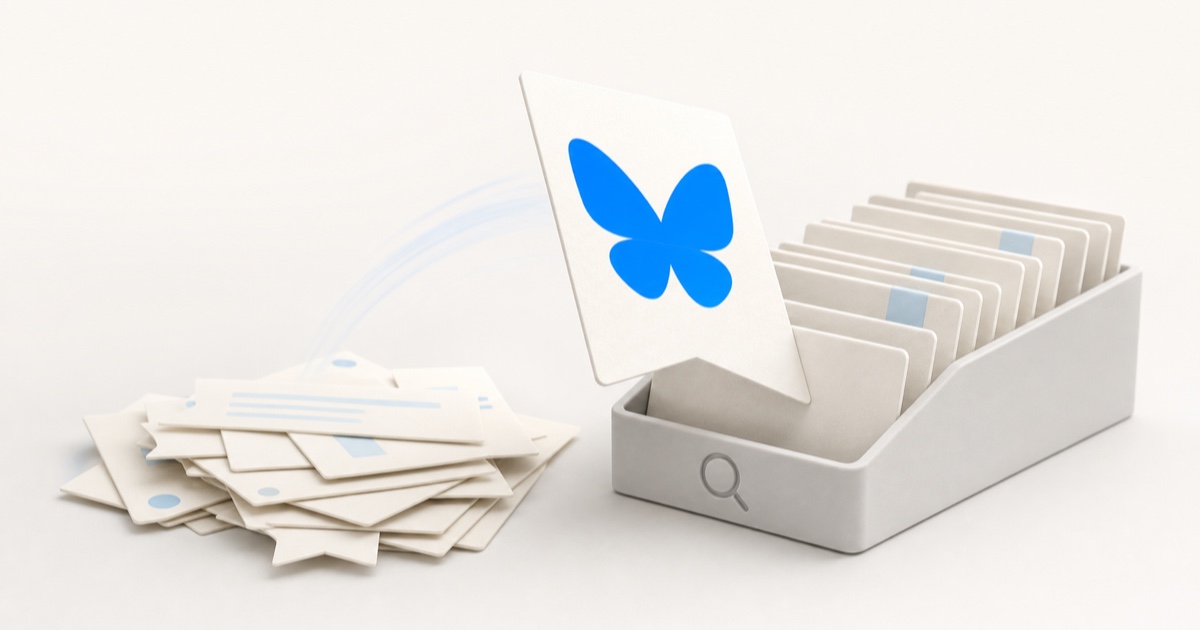
Threads saved posts: how to find, organize, and back up your saves
How Threads saved posts really work: where the Saved feed hides, why there's no search or folders, why saves silently vanish, and how to keep every one.

You hit Save on a Threads post: the thread that finally explained the thing, the recommendation you meant to act on, the take you wanted to quote later. A few weeks pass, you go looking for it, and you hit the two classic walls: you can't find the Saved feed at all, and once you do, you're scrolling one long unsearchable pile, or the post has quietly vanished from it.
The problem isn't you. It's that Threads keeps your saves in a single reverse-chronological list, buried behind the settings menu, with no search and no folders, and every save is a pointer, not a copy, so it disappears the moment the author deletes the post. Threads passed 500 million monthly users in June 2026, and its save feature still works the way it did at launch in early 2024. Here's exactly where your saves live, why they keep slipping away, and how to keep every one of them.
The quick answer: where Threads saved posts live
If you just need to find your saved posts right now:
- Mobile app (iOS / Android): Tap your profile tab in the bottom bar, then the menu icon in the top right (the one that opens settings), then tap Saved. Your saved posts open as their own feed.
- Web: On threads.com, open the main menu and choose Saved. Since the April 2025 web revamp you can also pin a Saved column to your home screen, which is the fastest way to keep your saves one glance away.
To save a post in the first place, tap the three dots (•••) in the top-right corner of the post and choose Save. There's no bookmark icon in the row of actions under a post; saving lives in that overflow menu. To unsave, open the same menu on the post and tap Unsave, one post at a time.
Saves are private
Nobody is notified when you save their post, and nobody can see your Saved feed but you. That's different from likes on Threads, which are visible. Save freely; it's the one part of the feature that works exactly like you'd hope.
Why you can't actually find anything in your saves
You don't remember who posted it or when you saved it. You remember the gist: "that thread about pricing," "the post with the reading list." But the Threads Saved feed indexes none of that:
- There's no search inside your saves. Threads' search looks across all of Threads, not the posts you saved. The Saved feed itself has no search bar and no keyword filter.
- It's one undivided pile. Every save sits in a single list sorted by when you saved it, newest first, and that's the only order you get. No sorting options, no filters.
- Skimming doesn't scale. Once you're past a few dozen saves, finding one specific post means re-reading your entire save history in reverse.
This is the same pattern every platform repeats. We've mapped it across X, Reddit, Instagram, and TikTok in where your saved posts actually go: different apps, different hiding places, none of them searchable by what the post was about.
No folders, no collections, not even from Meta
Here's the part that stings: Threads is built by the same company as Instagram, and Instagram has Collections, actual named folders you can file saves into. Threads gives you none of that:
- No folders or collections. You can't separate the career advice from the recipes from the posts you saved to reply to later.
- No tags or labels. There's no way to mark a save as "read later" versus "reference forever."
- No bulk actions. There's no select-all and no way to clear or prune your list except unsaving posts one at a time.
The one recent improvement is aimed at resharing, not finding: the composer's quote feature can now pull up lists of your saved and liked posts so you can quote them in a new thread. Handy when you already know the post is in there. Useless for the actual problem, which is finding it. (If you want a filing system that holds up anywhere, see how to organize your bookmarks so you actually find them later.)
Why your saved Threads posts disappear
Even when you do scroll all the way back, the post you're looking for may simply not be there anymore. That's because the Saved feed doesn't store posts. It stores pointers to content that lives on Threads' servers and belongs to someone else.
So your save breaks the moment any of these happen:
- The author deletes the post. People delete and repost constantly on Threads to fix a typo or chase better reach. Your save goes with the original.
- The author deletes or deactivates their account. Everything they posted goes with them, including the post you saved.
- Threads removes it. A post taken down for violating policy is gone for everyone, including you.
- The author goes private. A profile you don't follow going private can put the post you saved out of reach.
Saves vanish silently
When a saved post dies, Threads doesn't warn you or leave a labeled placeholder. The entry just stops appearing in your Saved feed, so you can't even tell what you lost. It's the same link rot that turns browser bookmarks into 404s, except here the evidence disappears too.
Can you export your Threads saved posts?
Not in any useful way. Threads has no export of its own; your Threads data comes out through Instagram's Accounts Center (Settings → Accounts Center → Your information and permissions → Download your information, then select your Threads profile). You can pick a date range and HTML or JSON, and Meta emails you a ZIP.
That export covers your footprint: your posts and replies, profile info, followers and following. What it doesn't give you is a readable backup of the posts you saved from other people; there's no documented saved-posts file, and Meta's equivalent Instagram export only includes saves as bare links and timestamps, not content. The official Threads API doesn't help either: it covers publishing, replies, and insights, and exposes no saved-posts endpoint at all. There is simply no first-class way to get your saves out.
Threads saves, option by option
| Approach | Searchable by topic? | Organized into folders? | Keeps the content if the original is deleted? |
|---|---|---|---|
| Threads Saved feed | No | No | No |
| Copy-pasting into a doc by hand | No | Yes | Yes |
| Meta data export | No | No | No |
The native feed and the data export are variations on the same thing: pointers that die when the original does, in a list you can't search. Copy-pasting each post into a doc actually keeps the content, but it's manual, tedious, and something you'll stop doing by the third post.
How to keep every Threads save for good
The reason native saves rot is that they were never copies to begin with. The Saved feed holds a link to a post someone else can delete, not the post itself. So the fix is to capture the content, not just the link, the moment you save it.
That's what Stashr is built to do, and Threads support is on the way. On the platforms it already supports, starting with X, Reddit, Instagram, and TikTok, its browser extension watches for saves and, the instant you save something, mirrors the parts that make it findable (the text, the author, any images, and the link back to the original) into a private library of your own. Until Threads capture lands, you can open a post on the web, right-click, and choose Save page to Stashr to keep a copy by hand. Because it's a real copy:
- It survives deletion. The author can delete the post or their whole account; your copy keeps the text and details instead of silently vanishing.
- It's all in one place. Saved Threads posts land in the same searchable library as your saved tweets, Reddit saves, and Instagram saves, instead of another silo you have to remember to check.
- You can search it the way you think. Every save is AI-tagged on the way in, so plain-English search actually works:
While you wait for Threads support, our free tools can help you triage what you've already saved elsewhere: run exported links through the dead link checker to see what's still alive, no signup, no API key.
Common questions
Where do I find my saved posts on Threads?
On mobile, tap your profile tab, then the menu icon in the top right, then Saved. On the web, open the main menu on threads.com and choose Saved, or pin a Saved column to your home screen. To save a post, tap the three dots at its top-right corner and choose Save.
Can I search my Threads saved posts?
No. Threads' search bar covers all of Threads, not the posts you saved, and the Saved feed has no search or filter of its own. Your only option is scrolling the list in reverse-chronological order.
Can I organize Threads saves into folders?
No. Unlike Instagram's Collections (built by the same company), Threads saves have no folders, tags, or sorting options. It's one flat list ordered by when you saved each post.
Why did a post disappear from my Threads Saved feed?
Because your save is a pointer, not a copy. If the author deletes the post or their account, or Threads removes the post, it silently drops out of your Saved feed with no placeholder, so you can't even tell what's missing. An independent copy is the only thing that survives it.
How do I back up my Threads saved posts?
There's no real native path. Meta's data export (via Instagram's Accounts Center) covers your own posts and profile, not readable copies of the posts you saved, and the official Threads API has no saved-posts endpoint. To keep them, capture the actual content of each post as you save it with a capture-first tool, so there's nothing to remember to export and nothing to lose when the original goes.
Threads capture is on the way.
Stashr already keeps a permanent, searchable copy of every save from X, Reddit, Instagram, and TikTok. Start there today, and your Threads saves join the same library when support lands.
14-day free trial · No credit card required · Cancel anytime