The best AI bookmark managers in 2026, compared
AI means four different things in a bookmark manager. Here are 11 tools sorted by which they say they offer, from vendor docs, plus a 20-link test to run.

Every bookmark manager now says it has AI, and that one word can mean a tagger, a reorganizer, a search box, or a chatbot.
What's the best AI bookmark manager?
It depends on which of the four jobs you're hiring it for:
- Tag new saves without you: mymind if you never want to file anything, Karakeep if you want to pick the model, Stashr if your saves come from X, Reddit, Instagram, and other social apps.
- Reorganize the pile you already have: Raindrop Pro with its Stella assistant if you want it hosted, Linkwarden if you self-host, or a browser extension if you want your browser's folders rebuilt in place.
- Search by meaning: many tools here do it. Karakeep, Raindrop's paid plan, Recall, Fabric, Bookmarkjar, ContextBolt, and Stashr all describe it.
- Chat with your bookmarks: Recall, Fabric, Bookmarkjar, or Raindrop's Stella have it built in. If you'd rather use Claude or ChatGPT, connect it over MCP, as with Stashr or Karakeep.
What this comparison rests on
Nobody ran these products for this post. Every claim comes from the vendor's own site, docs, or store listing, read in October 2026, so it tells you what each company says its AI does, not how well it does it. Tagging quality is the thing vendor docs can't tell you, which is why the test below exists. We also make Stashr, so weigh our description of it accordingly.
The four kinds of AI, tool by tool
"Not listed" means we didn't find it on the vendor pages we read, not that the feature can't exist.
| Tool | Tags new saves | Reorganizes a pile | Search by meaning | Chat or agents | Keeps a copy |
|---|---|---|---|---|---|
| mymind | Yes, from $7.99/mo | No mass import | Associative and image search | API in beta, no chat listed | Full articles on the $12.99/mo plan |
| Raindrop | Suggests tags and collections (Pro) | Yes, Stella (beta, Pro) | Yes, paid plans | Stella (beta, Pro), plus MCP | Web archive, Pro only |
| Karakeep | Yes, with a model you choose | Import, then regenerate tags | Yes (marked experimental) | MCP and CLI, no chat listed | Yes, full page |
| Linkwarden | Optional | Yes, can tag existing links | Not listed | Not listed | Yes: screenshot, PDF, HTML |
| Recall | Yes, from $10/mo billed yearly | Import on Plus, batch AI on Max | Yes | Chat on Plus, read-only MCP on Free | Yes, read-only version |
| Fabric | AI tags, per its own pages | Import mentioned, reorganizing not listed | Yes | Assistant and read/write MCP | Clipper extracts text and images |
| Dewey | Bulk tagging with review | Yes, for saves inside Dewey | Not listed | "AI Assistant" listed, not described | Says it keeps saved posts, per its blog |
| ContextBolt | Yes, on the free tier too | Not listed | By meaning, through the Pro MCP tool | MCP on Pro, no built-in chat listed | Yes, text kept in your browser |
| Bookmarkjar | Yes | Dead-link and duplicate cleanup only | Yes | Built-in chat; MCP listed, plan not stated | Not stated |
| Anybox | Not listed | Only through a connected agent | Not listed | Local MCP on Mac | PDF, web archive, or screenshot |
| Stashr | Yes, on Pro and during the trial | Not browser bookmarks | Yes, Hobby and Pro | MCP, CLI, and API on Pro or trial | Text, images, and video frames |
Prices and features move
Prices are from each vendor's own pages at the time of writing. Beta features especially can change, so confirm before you pay.
1. AI that tags or sorts new saves
Most of the tools here offer this one, and it's the one that keeps working without any effort from you.
- mymind files and tags for you. The Student of Life plan ($7.99/month or $79/year) automatically categorizes bookmarks and tags images. The $4.99 Bookmarker plan has no AI. mymind vs Stashr.
- Karakeep does LLM-based tagging and optional summaries. Self-hosted, you connect OpenAI, another OpenAI-compatible provider, or a local Ollama model, and tagging is skipped until you do. On Karakeep Cloud, AI tagging is on Pro ($4/month or $40/year). Karakeep vs Stashr.
- Linkwarden has optional AI tagging, with a local Ollama model or an external provider when self-hosted. Its $3/month (billed yearly) cloud plan lists it too.
- Recall assigns a tag to each save based on your existing tags and the content. Auto-tagging starts on Plus ($10/month billed yearly). Recall vs Stashr.
- ContextBolt includes AI topic labels on its free tier, which stops at 150 bookmarks. Pro is $6/month. ContextBolt vs Stashr.
- Bookmarkjar says it automatically tags and summarizes saves. Plans are $3.99/month for up to 1,000 bookmarks a month, or $12/month for unlimited. Bookmarkjar vs Stashr.
- Raindrop pre-fills suggested tags and collections when you save or edit a bookmark, drawn from the ones you already have, rather than filing for you. Its changelog marks the suggestions Pro only.
- Fabric says "no tagging, no manual organization" on its home page, meaning you don't have to tag to search. Its bookmarks page and comparison pages say its smart organization tags and categorizes saves automatically.
- Stashr tags every new save from its text and images, prefers the tags you already use, and takes your written instructions, so a library built from social saves stays tidy without filing. It's included on Pro and during the trial (the trial has a capped allowance). Tags usually appear within minutes, and occasionally take up to a day. See how AI tagging works.
2. AI that reorganizes a pile you already have
This is a different job from tagging new saves. Check two things first: can the tool take in your existing bookmarks, and does its AI run on them afterward or only on new saves?
Moving the pile into a manager:
- Raindrop imports a browser bookmarks file, and Stella (in beta, Pro only) can sort, tag, merge duplicate tags, and reorganize your library. It proposes changes and you approve them first. Of the hosted managers here, it's the one whose docs most directly describe this job, in our reading.
- Linkwarden imports a browser bookmarks file, turning folders into collections, and its 2.10 release added AI tagging for existing links, not just new ones.
- Karakeep imports browser bookmark files, and its admin panel can regenerate AI tags for all bookmarks, per its interface text in the repo. It's a server-admin setting, so it suits self-hosters, and we didn't find it described for Karakeep Cloud.
- Recall imports up to 1,000 bookmarks per batch from Chrome, Firefox, or Edge on Plus and Max, but says tags and summaries aren't created automatically on bulk import. Running AI on up to 100 items at once is a Max feature ($38/month billed yearly).
- Dewey bulk-tags "thousands of bookmarks" that are already in Dewey, showing you proposed tags before applying them. It's built around social saves rather than your browser's folders. Dewey vs Stashr.
mymind is the wrong pick for this job. It says it doesn't support mass import, and has argued against it on principle, though its newer API post mentions other ways to get things in.
Rebuilding your browser's folders in place: that's the job for an AI organizer extension. All three of these are small projects: their store listings show between 21 and 230 users at the time of writing, so read the listing and back up first:
- Stash Bookmarks uses your own Google Gemini or OpenRouter key, per its listing (its privacy policy names Groq in one place instead). The policy says bookmark titles, URLs, and meta descriptions go to the provider, and you review a report before committing changes.
- AI Bookmark Manager & Organizer works with OpenAI, Claude, an OpenAI-compatible API, or a local Ollama model. Its listing and privacy policy say AI calls send only bookmark titles and URLs, though the listing's overview also says it categorizes by "content, domain, and context," so we can't say exactly what leaves your browser. It says it backs up automatically and asks for your approval before changes.
- Bookend uses your own Gemini key and, per its listing, samples your library and asks Gemini to propose a two-level category structure. The listing doesn't say which fields are sampled.
With a bring-your-own-key extension, your data goes to that model provider under your account's terms. With Ollama, it stays on your machine. Export a backup before any of them touches your tree, and clear duplicates and dead links first so you aren't paying a model to sort junk.
Stashr is for your saves, not your bookmarks bar
Stashr doesn't reorganize existing browser bookmarks, and Chrome bookmark import isn't available yet. Its tagging works on your Stashr library: your saves from supported apps and the pages you clip. If an overflowing bookmarks bar is your problem, use Raindrop or Linkwarden to move it, or one of the extensions above to rebuild it. For the folder and tag system itself, see how to organize your bookmarks.
3. AI that searches by meaning
Meaning-based search finds "how I start my day" when you type "morning routine." We explain the mechanics in semantic vs keyword search. What matters when shopping is who offers it, on which plan, and over what text.
- Raindrop brought semantic search back in June 2026 after disabling it over quality issues, and it's limited to paid plans.
- Karakeep lists full-text and semantic search, using an embedding model you can configure. Its docs mark semantic search as experimental. Its cloud pricing page lists full-text search on Pro and doesn't mention semantic.
- Recall runs combined semantic and keyword matching.
- Fabric says it searches by meaning, including inside documents.
- ContextBolt describes searching "by meaning" through its Pro MCP tool. Its pricing page describes the in-app search as ranked, typo-tolerant, and on-device.
- Bookmarkjar advertises hybrid semantic search.
- Stashr blends keyword, semantic, and tag matching across everything you've saved, on both plans, including the $6/month Hobby. On Pro it also searches what's inside your images. See how search works.
- mymind calls its search "associative," and its pricing page describes image search by object, color, detail, theme, or style without naming a plan. It doesn't call this semantic search, so judge it yourself.
Linkwarden and Anybox describe keyword-style search and filters rather than meaning search on the pages we read.
4. AI you can chat with, or connect to an agent
These are two different things. Built-in chat lives in the app. MCP (or an API) lets the assistant you already use reach your library. We compare those servers in the bookmark MCP servers roundup, and connecting ChatGPT and Claude to your bookmarks covers the setup.
Built-in chat:
- Raindrop's Stella handles plain-language requests and summaries on Pro, in beta.
- Recall chats across your saves and the open web on Plus. Choosing the model is a Max feature.
- Fabric has an AI assistant across your library, and agents that can act in connected apps.
- Bookmarkjar offers conversational chat over your bookmarks.
Agent access only, as far as we found:
- Karakeep has its own MCP server and a CLI.
- ContextBolt has an MCP endpoint on Pro.
- Anybox has a local MCP server in its Mac app. It's off until you turn it on, and only runs while the app is open.
- mymind launched an API in beta in July 2026 for connecting agents, and warns that an assistant you connect can see everything in your mind.
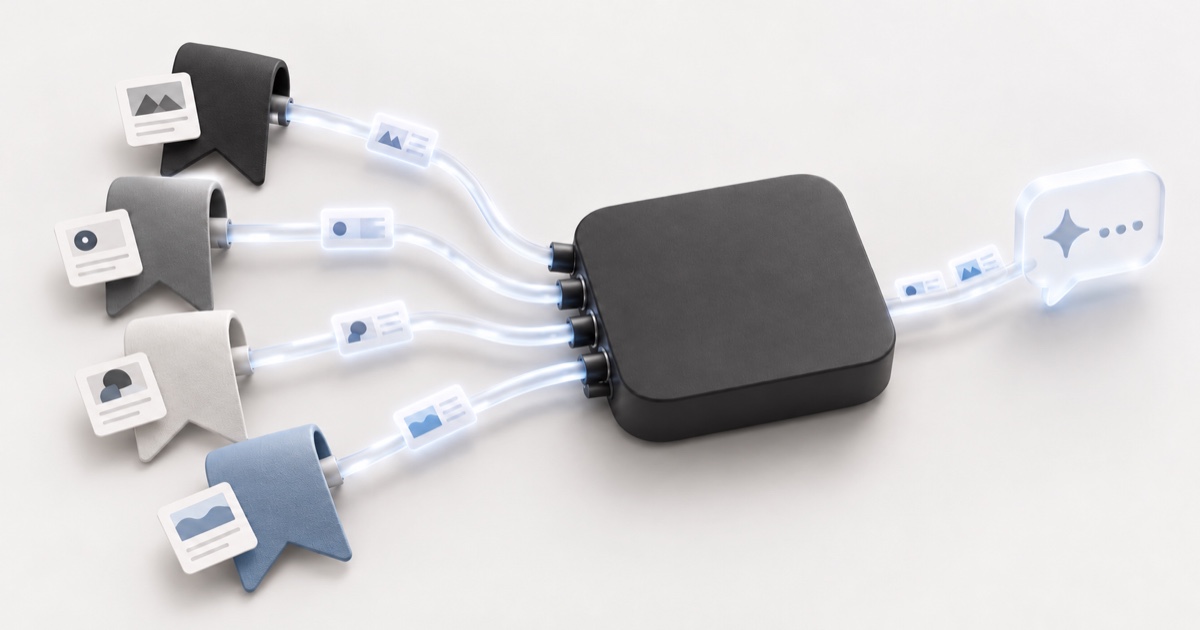
- Stashr connects your library to Claude, ChatGPT, and other assistants through its hosted MCP server, CLI, and API, on Pro and during the trial. There's no chat window inside Stashr: you ask the assistant you already use.
Raindrop, Recall, and Fabric also have MCP servers. Raindrop's is on its free plan with text and semantic search removed. Recall's is free and read-only for now.
Does it keep a copy? AI can only read what's stored
If a tool stores only the link, its AI has little to work with once the page changes or dies. Check this before you compare features.
- A copy by default, as described: Karakeep, Linkwarden, and Anybox's archive options, Recall's saved cards, and Stashr, which stores the text and images of each post when you save it, so they outlast the original. Videos keep their poster frame and play from the original post, and page clips keep the article text and cover image, with other images loading from the original site.
- A copy on a specific plan: Raindrop's web archive needs Pro, and archived copies become inaccessible if the subscription ends. mymind stores whole articles on Mastermind ($12.99/month or $129/year).
- A copy with a local catch: ContextBolt keeps page text in your browser by default. It says the text is sent to its servers to be tagged and indexed, while Pro's cloud sync keeps a copy it can read.
- A copy, per the vendor's own pages: Dewey's blog says it saves a post when you bookmark it, so it survives deletion. Fabric's comparison page says its clipper extracts full text and images.
- Not stated on the pages we read: Bookmarkjar.
Logins matter too. Raindrop's docs say pages behind a login can't be archived, which is one reason saves inside social apps are their own problem.
Where your bookmarks go when the AI reads them
Companies answer this very differently, and it's worth reading before you turn AI on:
- Your own model: self-hosted Karakeep and Linkwarden send content to the provider you configure, or nowhere beyond your server if you use a local Ollama model.
- Raindrop says Stella runs on an open-source model on its own infrastructure, your data stays on its servers, and it isn't used for training.
- mymind says private content runs through Amazon Bedrock, isn't used for training, and is discarded after processing.
- Stashr sends saved text, images, and your existing tags to OpenAI through its business API, under terms that don't allow training its general-purpose models on your content. Meaning search also sends the text of your saves to OpenAI to make embeddings.
- Recall says it doesn't train AI models on your content.
Test AI tagging on 20 of your own links
Docs can't tell you whether the tags are any good for your library, and neither can we. You can repeat this on any tool with a trial or free tier, as long as that tier includes the AI.
- Pick 20 links you know well. Mix them: 10 with an obvious topic, 5 that span two topics, 3 with vague titles, and 2 dead or login-only pages.
- Write down the tag you'd search for on each link before you save anything. This stops you from grading generously afterward.
- Save all 20 with AI on, then wait. Some tools tag in batches.
- Score each link. 2 if a tag is one you'd really search for, 1 if it's right but too generic, 0 if it's wrong or missing.
- Count the near-duplicates, like
recipeandrecipes. Then check the two dead pages: a confident topic tag there is a guess from the URL or title. - Try three searches from memory, using words that aren't in the title. That checks meaning search on the same 20 links.
Run the same list through two tools and compare the scores. A total on its own means little, and the tool that wins for your links may not be the one with the longest feature list.
Which one should you pick?
- You never want to file anything and don't mind paying: mymind.
- You want to reorganize a big existing pile, hosted: Raindrop Pro, knowing Stella is in beta.
- You self-host and want to choose the model: Karakeep for tagging, search, and an MCP server, or Linkwarden if preservation comes first.
- You want a research library you chat with: Recall or Fabric.
- You mostly want Claude or ChatGPT to reach your links: read the MCP roundup first.
- You're all-Apple and want the agent to stay local: Anybox on Mac.
- Your saves live in social apps, not your bookmarks bar: Stashr. Its desktop extension captures what you save on X, Reddit, Instagram, TikTok, Facebook, LinkedIn, GitHub, and Hacker News, plus right-click page clips, and keeps a copy of the text and images even if the post is later deleted. Auto-tagging organizes it on Pro and during the trial, search by meaning covers all of it, and Pro lets Claude or ChatGPT reach it over MCP. Hobby is $6/month and Pro is $10/month, and plans start with a 14-day trial, no card required.
For the wider field, including managers with no AI at all, see the best bookmark managers.
Common questions
Can AI organize my existing bookmarks?
Yes, with the right tool. Raindrop's Stella (Pro, in beta) reorganizes a library you've imported, Linkwarden can tag existing links, and browser extensions like Stash Bookmarks rebuild your folders in place. Back up first and review the proposed changes.
What's the best AI bookmark organizer for Chrome?
There's no clear winner we can vouch for, since we didn't test them. Stash Bookmarks and AI Bookmark Manager & Organizer both say, in their own listings, that you review changes first, and both say what they send to the AI provider, so start with those and use the 20-link test on a copy of your bookmarks.
Is there a free AI bookmark manager?
ContextBolt's free tier includes AI tagging up to 150 bookmarks. Karakeep and Linkwarden are free to self-host, and with a local Ollama model you pay no API bill, only your own hardware. Stashr isn't free: it has a 14-day trial, no card required.
Can I chat with my bookmarks?
Yes. Recall, Fabric, Bookmarkjar, and Raindrop's Stella have built-in chat. Or connect Claude or ChatGPT to a library over MCP, which Stashr, Karakeep, ContextBolt, and others support.
Does AI bookmark tagging send my data to a third party?
Usually, unless you run a local model. The hosted tools here that say how their AI runs either use their own model (Raindrop) or send content to a provider (mymind, ContextBolt, Stashr), and bring-your-own-key tools send it to the provider you chose. Self-hosted Karakeep or Linkwarden with Ollama keeps it on your server.
Is AI tagging better than tagging by hand?
It depends on the tool, and we haven't measured any tool's accuracy. AI tagging gets done when hand-tagging often doesn't, but it can't know what you care about, so run the 20-link test and keep the option to edit tags yourself.
Let the saves you make every day organize themselves.
Stashr keeps what you save on X, Reddit, Instagram, TikTok, and more, tags it on Pro, and lets you search by what you remember. 14-day trial, no card required.
14-day free trial · No credit card required · Cancel anytime